Pi Stats open source hosting brings lightweight, powerful monitoring and control of Pi-hole network data right into your pocket and desktop. Originally created to keep an eye on DNS ad-blocking performance with simplicity in mind, Pi Stats has grown into a flexible cross-platform tool for anyone running one or more Pi-hole servers.
Open source projects like this thrive on community involvement and transparent development, making them ideal for hobbyists, network administrators, and DIY enthusiasts alike. This article breaks down what Pi Stats does, why it matters, how it fits into modern open source workflows, and where it’s heading next.
What Is Pi Stats?

Pi Stats is a fully open source monitoring application that brings real-time statistics and controls for Pi-hole servers to iOS and macOS devices.
At its core, Pi Stats interfaces with your Pi-hole via its API to:
show blocked query counts and recent network activity,
enable or disable protection with a single tap,
display performance visuals such as charts and usage metrics,
support multiple Pi-hole instances from one dashboard.
It also leverages optional tools like Pi Monitor for deeper Raspberry Pi system metrics — including temperature, uptime, and memory usage — if installed on the Pi itself.
Pi Stats Features That Matter
Real-Time Monitoring
Pi Stats continuously shows the current status of your Pi-hole instances with live charts, highlighting DNS queries and network statistics.
This makes it invaluable for:
watching ad block effectiveness over time,
spotting anomalies in traffic spikes,
comparing performance across setups.

Quick Controls for Pi-hole
Whether you’re testing a website or troubleshooting network issues, Pi Stats lets you toggle Pi-hole protection on and off instantly — all without logging into the web dashboard.
This convenience is especially helpful for temporary exceptions or when experimenting with DNS configurations.
Cross-Platform Convenience
Pi Stats puts all this into both your mobile workflow and desktop environment:
On iPhone or iPad, full app + widgets bring stats to the home screen.
On macOS, menu bar access ensures you never lose sight of your network health.
Syncing between devices is simplified via QR code scanning, making setup seamless across your Apple devices.
How Pi Stats Started
The idea for Pi Stats began when its developer wanted an easy way to temporarily stop a Pi-hole from blocking content without manually adjusting its settings — and also to learn widget creation on iOS (which was relatively new at the time).
Frustrated by the normal workflow and curious about cross-platform features, they created the first iOS version and later expanded to macOS. Enthusiasts today appreciate both the practical utility and the “nerdy fun” of seeing detailed Pi-hole metrics.
Installation: Getting Pi Stats Set Up
iOS Installation
Requires iOS 14 or later.
Available on the Apple App Store.
Widgets included for glanceable metrics.
Pointers:
Search “Pi Stats” in the App Store or visit the official site at https://pistats.app/ for direct links.
Use the Support URL in the store page to review developer notes and open source repo links.
macOS Installation
Compatible with modern macOS releases (M1 chips or newer).
Menu bar designed for quick access
Once installed, scan the past generated QR code from your iOS app to connect instantly.
Real-World Uses
For Home Networks
If you run Pi-hole at home, Pi Stats gives a clean interface to keep an eye on:
ad-blocking efficiency,
device access patterns,
whether protection is actively running.
Perfect for tech hobbyists and families with multiple smart devices.
For Small Offices
Administrators at smaller companies can use Pi Stats to monitor multiple DNS servers without logging into each one’s dashboard, streamlining network oversight.
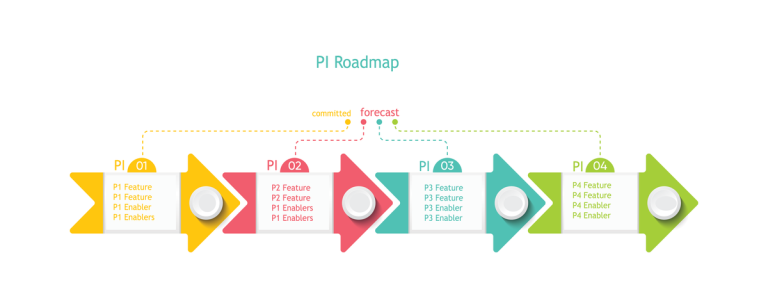
What’s Next: Pi Stats Roadmap
Looking forward, the developer is focusing on:
updating compatibility with the latest Pi-hole API changes,
ongoing UI and feature improvements for reports,
additional tool integrations like optional network performance visuals.
Beyond that, new projects by the same developer signal a growing ecosystem of open source utilities for Apple platforms.
Why Pi Stats Open Source Hosting Matters
In a world where closed-source tools often dominate, projects like Pi Stats make network monitoring transparent, customizable, and community-driven. Open source encourages:
peer review and accountability,
user-driven enhancements,
free access to powerful utility tools.
It’s a testament to how DIY tech culture and vibrant communities can build tools that benefit hobbyists and pros alike.
Conclusion
Pi Stats open source hosting isn’t just another monitoring app — it’s a community-supported bridge between Pi-hole network services and modern Apple environments. Whether you’re a hobbyist tinkering with your home DNS or a professional looking for a quick monitoring interface, Pi Stats delivers simplicity without sacrificing depth.
Install it, explore its features, and contribute back to the community if you find it useful — that’s the true spirit of open source.